
HomeBlogAutoCAD to Revit: The Ultimate Transition Guide for Engineers

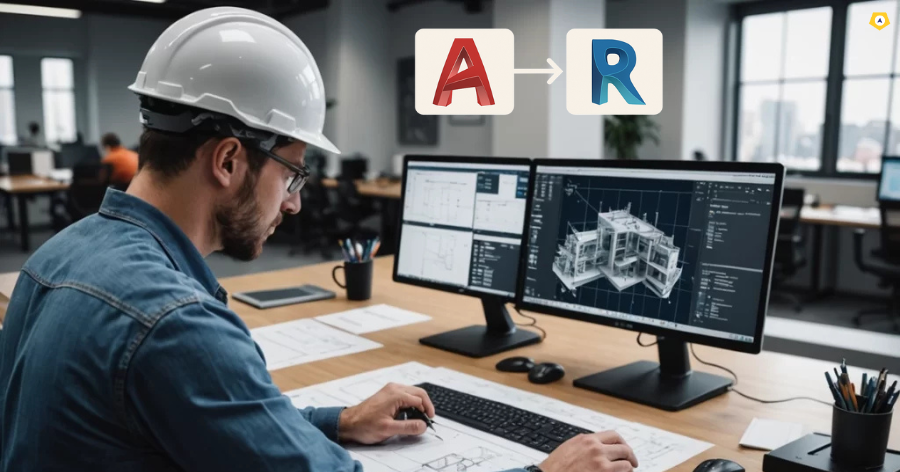
AutoCAD to Revit: The Ultimate Transition Guide for Engineers


Your roadmap to becoming a future-ready BIM Engineer

Introduction: Why This Transition Matters Now

If you are an engineer still relying primarily on AutoCAD, you’re already behind the curve.
Today, clients, consultants, architects, and international EPC firms expect intelligent models, clash-free designs, quantifiable outputs, and fast revisions. That is exactly where Revit and BIM outperform conventional CAD workflows.

But the problem is clear:

  • You are comfortable with AutoCAD.

  • Your company is not fully on BIM yet.

  • You are unsure where to start.

This guide from Neoinfinit Engineering Academy gives you a practical, engineer-friendly roadmap to transition smoothly from AutoCAD to Revit without fear or confusion.

By the end, you’ll understand how to upgrade your design skills, improve your project delivery speed, and increase your career market value by 5x.

SEO Tags


#AutoCADtoRevit #RevitTraining #BIMforEngineers #MEPDesign #RevitMEP #NeoinfinitEngineeringAcademy #BuildingServices #AutoCADTransition #BIMWorkflow #RevitGuide #EngineeringCareers #MEPConsultancy #BIMFuture

Section 1: AutoCAD vs Revit — What Changes for Engineers

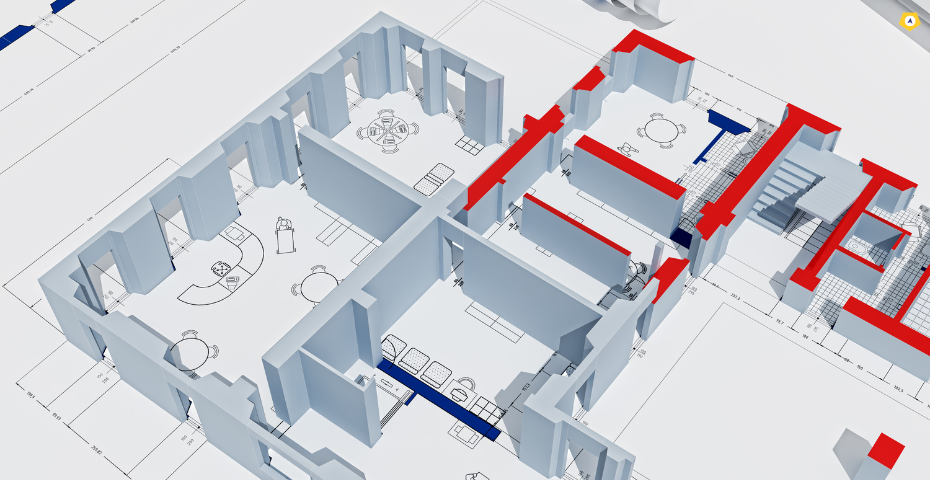
1. AutoCAD = Lines. Revit = Intelligent Modelling.

In AutoCAD, everything is drawn as:

  • Lines

  • Polylines

  • Blocks

  • Layers

Revit works completely differently.
You design with real elements:

  • Walls

  • Ducts

  • Pipes

  • Cable trays

  • Diffusers

  • Switchboards

Each element carries metadata and behaves according to engineering rules.

2. AutoCAD = Manual Coordination. Revit = Automatic Coordination.

In AutoCAD:

  • You manually overlay drawings

  • You manually detect clashes

  • You manually update drawings

In Revit:

  • All services live in a single coordinated model

  • Clash detection is built-in

  • Changes update everywhere instantly

3. AutoCAD = 2D Revisions. Revit = 3D & 2D Together.

Revit automatically generates:

  • Plans

  • Elevations

  • Sections

  • Schedules

  • 3D views

Updating one updates all.

This alone saves 40–60% of engineering time.

The jump to Revit isn’t about learning software buttons.
It is about thinking like a BIM Engineer.

Here’s the mindset shift:

AutoCAD Mindset:

Draw what you see.

Revit Mindset:

Build the building digitally before it is built in real life.

That means engineers shift to:

  • System-based thinking

  • Parametric modeling

  • Data-driven design

  • Coordinated engineering

This is where the real power of Revit lies.

Step 1: Understand BIM Terminology (Essential Foundation)

Before you touch Revit, understand the basics:

  • LOD (Level of Development)

  • Families

  • Worksets

  • Templates

  • Systems (HVAC, Fire, Electrical, Plumbing)

  • Schedules

  • Coordination views

Without this foundation, you’ll feel lost.

Start with:

  • View controls

  • Project Browser

  • Properties

  • Levels & grids

  • 3D navigation

This is the “language” of Revit.

Practical first tasks:

  • Draw duct branches

  • Add diffusers

  • Create plumbing risers

  • Place electrical panels

  • Route conduits

You learn fastest by doing.

Revit becomes powerful when you start extracting:

  • Bill of Quantities

  • Pump schedules

  • Cable tray schedules

  • Duct sizing

  • Equipment lists

Schedules update automatically — no Excel rework.

In Revit:

  • Clash detection is twice as fast

  • Visual clashes are easy to understand

  • Coordination reduces site errors

This is where engineers gain huge confidence in BIM.

Your office may still rely on AutoCAD for:

  • Municipal submissions

  • External consultants

  • Vendors

Revit exports clean DWG sheets automatically.
So you do the modelling in Revit but share drawings in the formats everyone understands.

1. “Revit feels slow compared to AutoCAD.”

Because Revit processes intelligent data, not lines.
Solution: Learn correct templates & model cleanliness.

2. “Too many commands and families.”

You don’t need them all.
Solution: Start with basic duct/pipe/cable tray families.

3. “My PC slows down.”

Revit needs RAM and GPU.
Solution: Minimum 16GB RAM and a 4GB GPU recommended.

4. “Team members are not aligned.”

Revit is collaborative.
Solution: Learn Worksharing & Worksets.

5. “Boss wants AutoCAD drawings.”

Revit exports clean DWGs automatically.
Solution: Configure export settings once.

1. You become a BIM-capable engineer

Companies are actively rejecting pure AutoCAD profiles.

2. You can handle international projects

Middle East, US, and Singapore require BIM-first workflows.

3. You deliver faster designs

40–60% time saved in revisions & coordination.

4. You eliminate site errors

Clash-free models reduce rectification costs.

5. You future-proof your career

BIM is the industry standard for the next 20 years.

FeatureAutoCADRevit
Design SpeedSlowFast
RevisionsManualAutomatic
AccuracyDepends on userSystem-driven
Clash DetectionExternalBuilt-in
3D ViewsManualAutomatic
BOQManual in ExcelAuto schedules
Sheet CreationManualAuto-updated
CoordinationDifficultSeamless

Tick the ones that apply to you:

  • You want to reduce rework

  • You want international job opportunities

  • You want to design faster

  • You want fewer site errors

  • You want to deliver BIM-ready drawings

  • You want better salaries

  • You want to future-proof your engineering career

If you checked 3 or more, the transition is not optional — it’s necessary.

We offer a structured, engineering-driven Revit training program designed specifically for:

  • MEP engineers

  • HVAC designers

  • Electrical engineers

  • Plumbing/fire engineers

  • CAD technicians shifting to BIM

  • Freshers entering design consultancy

Our Training Includes:

  • Real project-based modeling

  • Template creation

  • Clash detection

  • Family creation

  • Sheet setups

  • BIM workflows

  • Export standards

  • Complete MEP system modeling

  • Placement support

You don’t just learn Revit.
You learn how MEP consultants use Revit to deliver real projects.

Conclusion: The Future Is BIM — and Revit Is Your Gateway

AutoCAD was the industry standard for decades. But the future belongs to BIM, coordination models, digital twins, and data-driven engineering. Transitioning to Revit is not just a software upgrade — it is a complete upgrade in how you think, design, and deliver engineering work. Neoinfinit Engineering Academy is here to help you make that transformation smoothly, confidently, and professionally.

Our Courses

Leave A Reply

Your email address will not be published. Required fields are marked *